
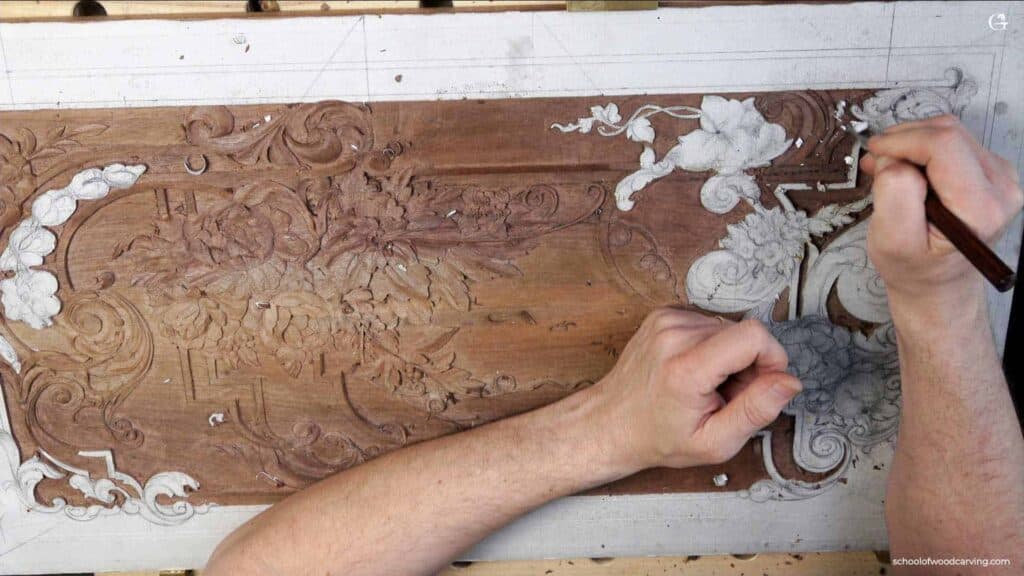
Alexander Grabovetskiy, woodcarver, School of Woodcarving · Published 2024
What is a router plane used for in wood carving?
Quick answer: A router plane is a hand plane with its blade fixed at one height, used to level the bottom of a carved background. For my walnut furniture panel, a gouge clears most of the wood first, staying slightly above that height, and then the plane comes back to make the whole area flat.
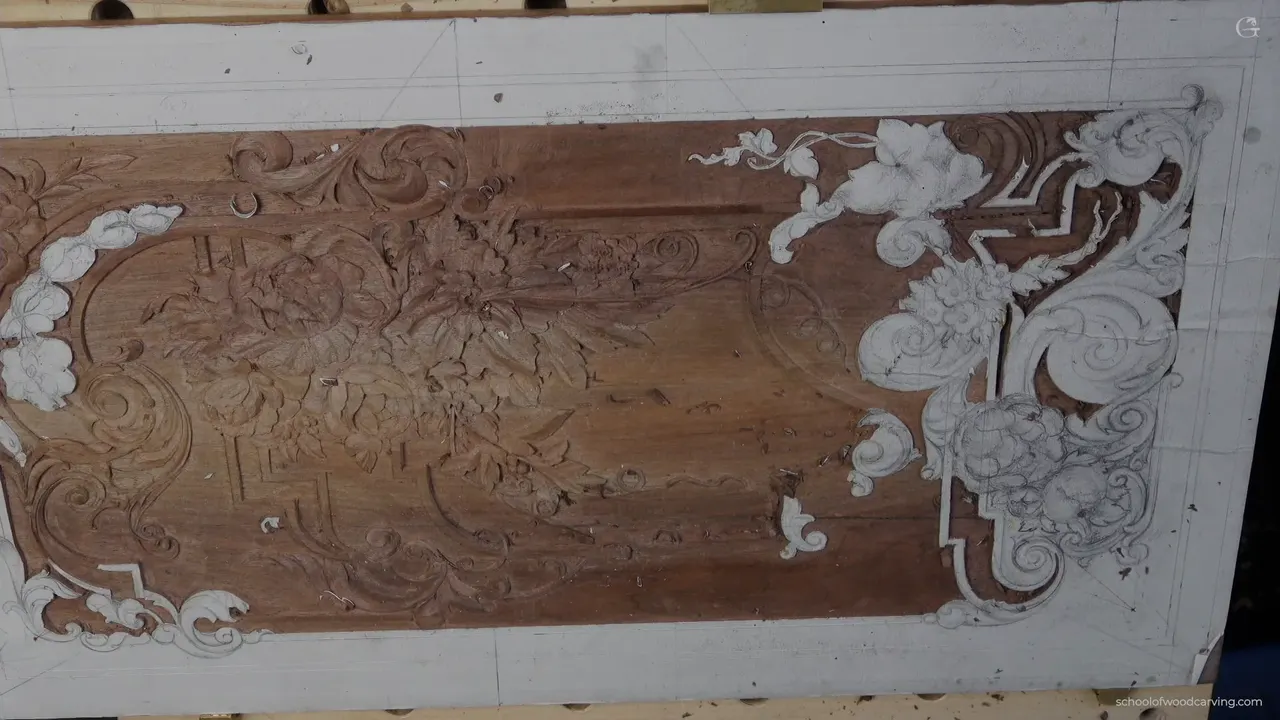
A router plane is a hand plane that takes the floor of a carved background down to one even depth. Wikipedia says it planes the bottoms of recesses to a uniform depth. On my walnut furniture panel the gouge goes first. After that the plane comes behind it and makes the ground level, one depth across the whole area.
Some of you are probably tired by now. It takes us so long, but it's all right, because at the end it's going to look really, really nice. I believe it.
Ever looked at a carved furniture panel and wondered how the ground behind the flowers got so flat? And what tool does that by hand? This lesson shows how I do it on this panel. You'll see which tool goes first, how I set the depth, how I get into tight corners, and one spot in my own drawing I had to call a mistake.

The router plane on this panel, in five lines
- The gouge goes first, and the router plane follows it to level the floor.
- One small spot done by the plane shows me the depth.
- The gouge leaves some wood above that depth, so the plane still has something to take later on.
- Three lines, three depths, deepest first.
- Where the big plane didn't fit, a grounding tool and a tiny plane did the job.
What is a router plane used for on a carved panel?
Leveling the ground. On this panel the gouge roughs it out, and the router plane makes the area flat at one depth. I've got multiple router planes, in different sizes, and any router plane will work. For this lesson I compared three of mine. See how tiny the smallest one is?
The big one is a Veritas, the tool line of Lee Valley Tools, a family-owned Canadian business. Blades for it go from 1 mm (0.04 in) up to about 3/4 in (19 mm). I also have a Lie-Nielsen, and it's really nice. I like the Veritas just because I can change the blades quickly. It takes a couple of seconds, and I love that. I talked about brands in lesson 17.
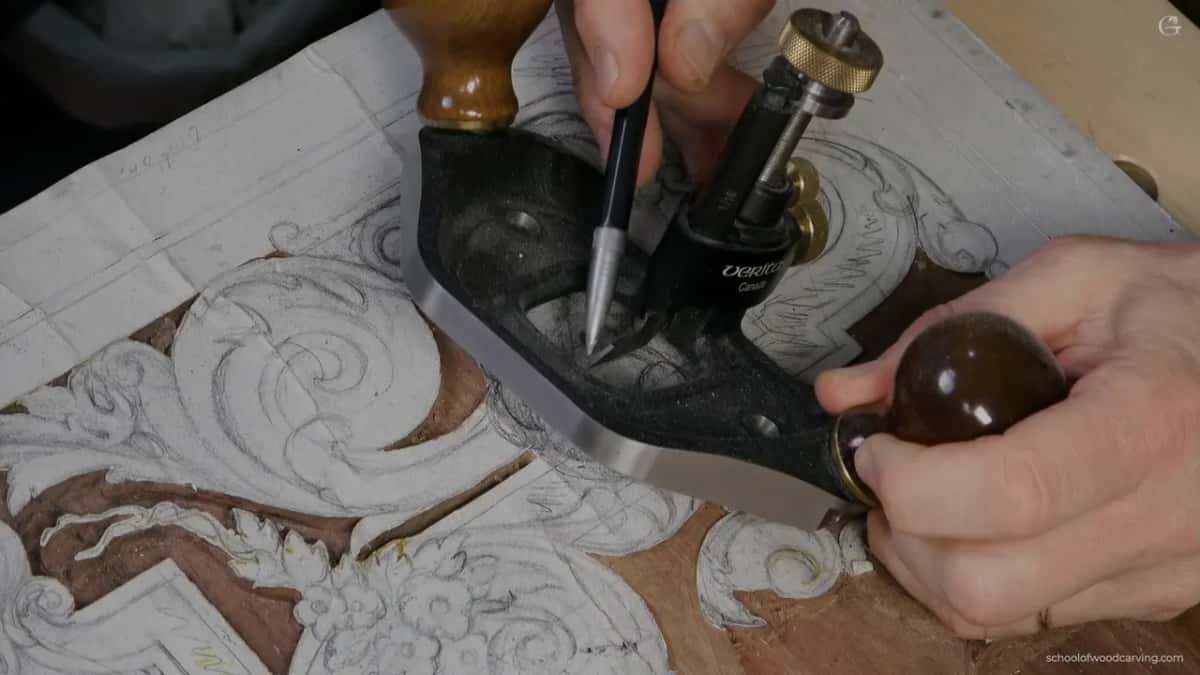
See those two holes in its base? You can put a bigger piece of plywood or something there and mount the plane to it. A really big piece, if you need to. Then you get much bigger support on both sides.

And the tiny one? I really love it, it's really handy, and the only limitation is that you have to buy its blades and grind them to the width you need. Mine is about 3 mm (1/8 in) right now, and lesson 32 has mini and micro planes.

Why does the gouge go in before the plane?
Habit. If you'd ask me why I don't just take the whole thing out with the router plane, well, I could. But I'm used to gouges. Look, it took me about a couple of seconds to clear the bulk of it.
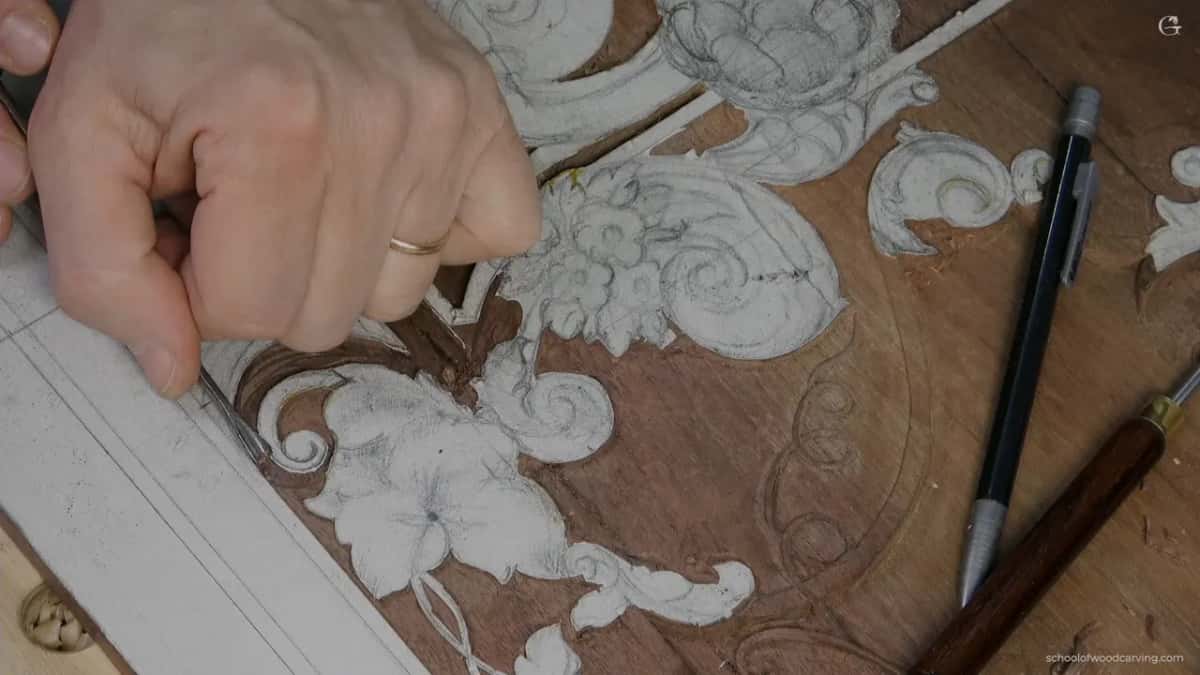
Any gouge will work here, a number 7, 8, 9 or 10. Which one doesn't really matter. What matters is how deep you go. I grabbed a number 7 of about 10 mm (3/8 in). I'm not outlining the outside yet. I just remove the majority of the material, and I don't go deeper than the depth I already decided on.

Short strokes. It's always better to carve across the grain, and here my passes run perpendicular to it. It's much cleaner, so I can get pretty close to the edge. I thought I'd leave a little all around. There's no need to go right to the line, though I could, since it's a shallow pass. And yes, I got right on the line.

In one section I'm running with the grain, and one side always ends up against it. So I'm really careful there, and a slicing motion helps. My passes stay really, really short. There's no reason for long ones. The lesson before this, lesson 37, looks at the slicing cut.
Near a part I could ruin, I come in from the opposite side and take a spooning cut. You go in at a kind of high angle, then lower it and escape out.
Don't overdo it. It's really easy to take out too much material in an area like this, so it's better not to force it.
How do I set the depth before carving the rest?
With the plane, in one small spot. I put a 3/16 in (5 mm) blade in the big one, set the height and made an initial pass. All I need is that initial depth. I could take multiple depths with it, but removing all the material with the plane isn't what I'm after. That's it for now, and the plane goes aside. Now I can see how deep I'm supposed to go.

It's a good idea to bring the plane in at a 45 degree angle to the surface you're working, so only the corner of the blade is working. Here that's the right hand corner. I hold the right side and use it as my pivot point, so my motion pivots around it.

Back to the gouge, and now I'm really careful. Every pass stays slightly above whatever area I dug with the router plane. I need some material there, because I don't want to damage it, and the plane will take it down later. More on staying above the floor while outlining is in lesson 36.
How do I know it's the same depth? I didn't take any wood off the moldings yet. I left them alone because I knew I'd have to measure from them. Back in lesson 16 I left an island for the plane to rest on.
When I run the plane, I'm never pushing it. I'm still kind of pivoting, sometimes more, sometimes less. That's a good practice. And if there's something left, there's no reason to force it at all.
What makes the walls of the ground straight?
A big chisel, straight down. Any carpenter's chisel will work for this. I took the big number 1, about 1 1/4 in (32 mm), double sided, by the way. My mallet goes behind it, right on the line, and I hit it all the way down. See? A straight line.

I don't want to go too deep and damage the background. The bigger tool is a really good idea here. It's not a must. A smaller tool gets you there too, but the bigger one is much quicker. Then I took a smaller number 1, and that could be a normal carpenter's chisel too. It doesn't have to be a carver's chisel.

Along the line itself, a number 3 goes straight down at 90 degrees to the surface. Do not undercut there, and don't hold the tool on an angle. Lesson 19, back in Part 2, is where I talk about undercutting.
What does the router plane do after the gouge?
It levels everything. Some of that work is easier on the router plane. It can adjust and make it level, and that's the main idea.
I changed to a 1/16 in (1.5 mm) blade. The depth should come out about the same, since the same spot sets it. But I double check anyway, because sometimes it doesn't work that way and you need a little bit of adjustment. I was pretty close.

With only that small blade I get a really even surface. I'd almost call it machined, but it's planed by my hand. Pretty cool, those specialty tools.
Maybe it happens to you, I don't know, but it happens to me. Even if I change nothing, the next time I put the blade in, the depth comes out slightly different. We're talking about a really, really tiny bit. But it does change.
Still, I think it's a good invention for furniture making.
What if one area has three lines drawn in it?
Then it needs three depths. In part two I wasn't sure how deep to go in one area. As deep as this side, or as deep as that one? Then I looked at my drawing again. I had a line here, another line there, then this line, that line, and one more. Which means three different depths.

One deeper. Then a shallower one, a little higher. And one really shallow, probably the same as the area all around. I started with the deepest, then the second, then the highest. The deepest has to be the same depth as the area I'd already done.
Same idea as before, and the gouge removes the majority. Sometimes you have to go along the grain. A preliminary pass across it first makes going along it much safer.
On one small, tiny section I went down to a half millimeter (0.02 in) tool with a mallet. Half a millimeter works good. If you are a furniture maker, that tiny tool is just a must have.

Which tools reach the corners the big plane can't?
Smaller ones. A small router plane would work here, like I showed you before. No small plane? You don't have to buy one. Please don't get me wrong. Just a chisel still gets it done, but you need small tools to get into that section.
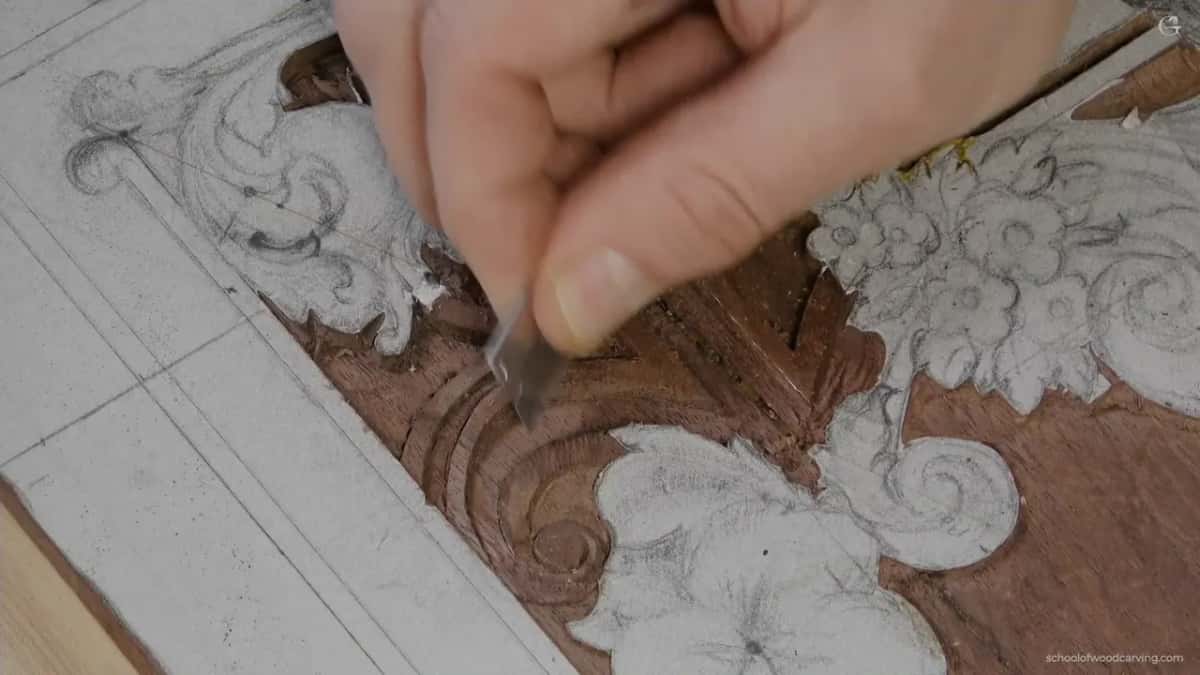
One small, tiny tool I use there is just a broken tool. It was much bigger. I reground it, and now it cleans up those areas.
See how close I'm holding my finger to the edge? That gives me much better control. But be careful. Sometimes I cut myself. It happens maybe once in a while, when you carve all day long and you're not afraid of the tools anymore.

Be careful when you crank a chisel like this. You have to lean on this edge, and if you lean too much, you're going to break it. And the deeper you go, the more you have to lean. A few minutes later something broke. I guess I cranked that side too much, just what I'd said not to do.
And then the tool made for it. This is a grounding tool by Ashley Iles, number 47, about 1.5 mm (1/16 in) or slightly bigger, and you can see it has a slight curvature. I probably should use this one, not that plane. And I'm really there, at the same level.
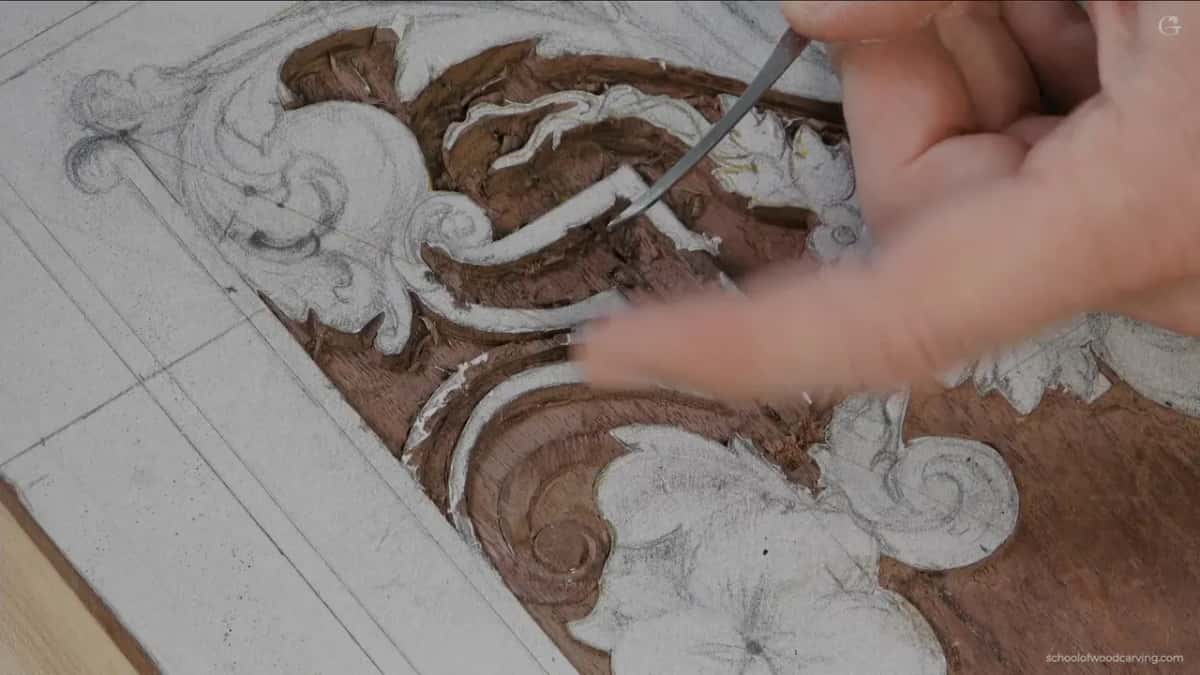
Last, the tiny router plane, just to make sure it's the same depth all the way. That way I know for sure it is perfect.

How did I fix a mistake in my own drawing?
With a slope. In part two I showed you one area that's kind of funny. Here's my volute. Its main movement goes all around underneath the flowers and continues on the other side as a molding. But there's a secondary movement that goes into a cavity, and I need to blend it somehow. To be honest, I have no idea what I was thinking.

I lowered that side slightly and sloped it toward the right, then blended it until it becomes that cavity. Kind of interesting. But we are not afraid of interesting stuff.
I started with the knife, not so deep. I usually don't like a stabbing cut because of the fibers. In most cases it's a no-no. Here there's not much material to remove. The slope goes about 1 mm (0.04 in) deep and slips underneath the flower.

This area is kind of weak, and I always tend to relieve around an area like that first, using a number 11. Then my stabbing cut, with a number 6, was slightly angled, not straight down at 90 degrees, because I really wanted to see an angled wall there. I almost made a mistake. Almost. Closer to the slope my angle got much lower, about 45 degrees. No need to measure it.
I used the mallet there, because the mallet gives me real good control.

On the other side I didn't want a concave, so I made a flat cut and blended the two together.
So I should admit it. That is a mistake of the design, but please, you're the only one who knows, and nobody's going to catch it. Maybe it was on purpose. It's a really good transition, a really good transition, and I kind of like it, actually.
Where does the shadow come from on dark walnut?
From a concave. The wood is kind of dark. We're talking about walnut, and once it's finished you'll barely see a movement like that. If you need a shadow somewhere, always give it some kind of concave. For that I took a small number 8.
You don't really see that shadow here, because I have super bright lights above my workbench. But once the panel is in place, you'll catch it. Even now you could probably see some shine and a shadow line.
| Tool | Job | When |
|---|---|---|
| Any number 7 gouge | Took most waste out with short passes, mostly cross-grain | The first area |
| Big Veritas router plane | Found the depth first, leveled the floor after that | Before and after |
| Wide number 1 chisel | Mallet behind it, straight down along the drawn line | Squaring the walls |
| Small number 8 gouge | Carved a concave so the dark walnut shows shadow | The sloped volute |
| Ashley Iles grounding tool | Cleaned up a corner where the plane barely reached | Part three, corner |
| Tiny third router plane | Checked that the last section had one depth throughout | Near the end |
What happens to the ground at the end?
I scrape it. That part is done, so I take the paper off and scrape. That's how they did it, by the way. Back then, in the 18th century, they did a lot of scraping with glass.
Scraping doesn't need a knife. A normal card scraper works, or utility knife blades, and you can make it really shiny and nice. I scrape on an angle. My overall direction still goes with the grain, but the blade itself is angled, so it hits those small sections. A razor blade blends the ridges in lesson 28, and the tools course has a whole lesson on scrapers.
This board has a couple of cracks. A big one has glue in it that doesn't look nice. I sharpened the point of a dentist's tool a little, and with it I pick the stuff out of the crack. Later I'll glue in a piece of walnut. Not now. The drawing on this board was made in the design part.

My bench is getting messy, and I don't like that. Pardon my mess.
What I like about wood carving, especially with hand tools, is that there's no limit to what you can do. Machines are sometimes really quick. Not always. With carving by hand the limitation is just inside your head.
You'll find these three videos inside Carving Furniture Panel, Part 3, after lesson 37 and before lesson 39. The carving stage before it lives in Part 2, and Tuition opens all of it.
Got a gouge and a chisel on your bench? Then you've got what this lesson starts with.
How it's done
- Clear the bulk with a gouge. Any gouge works. I used a number 7 of about 10 mm (3/8 in), with short passes across the grain.
- Find the depth in one spot. Set the big plane with a 5 mm (3/16 in) blade, make an initial pass in a small area, and put the plane aside.
- Bring the blade in at 45 degrees. Only the corner of the blade works at first, and one hand holds that side as the pivot point.
- Carve slightly above that depth. Each gouge pass ends a little higher than the plane's floor, so there is wood left for it.
- Square the walls straight down. A wide number 1 chisel goes on the line with a mallet behind it, or a number 3 held square to the surface. No undercut here.
- Level the floor and check again. Change to a smaller blade, double check the depth, and plane the floor even without pushing.
- Reach the corners with small tools. A grounding tool or a tiny router plane gets the spots the big plane can't.
Frequently asked questions
Do you need a router plane for carving a flat background?
No, buying one isn't a must. A chisel and small tools will get a carved floor flat, as long as they fit the space you're working in. The plane is still a good invention for furniture making, I think, and for my walnut panel I compared three of different sizes.
Does it matter which router plane you use?
Not much. Any router plane will work, and I keep several sizes. My tiny one needs blades you buy and then grind to the width you need. On the big one the blades change quickly, which is why I like it.
Why carve with a gouge before using the router plane?
I'm used to gouges, and mine cleared most of the waste in seconds. The plane alone could do the whole area too. Instead, one pass of the plane shows the depth, and the gouge works a bit higher than that floor.
What to carve next